The MS Paint Doodle Trend: Make GPT Image 2 Draw Badly
The exact prompts behind the viral scribble format, why deliberately bad output out-travels perfect renders in 2026 feeds, and the adjacent claymation and pet-to-human hits.
The joke: using the best image model ever to draw badly
The format is simple. You upload a decent photo — your dog, a selfie, a wedding shot — and ask GPT Image 2 (the same trend runs in ChatGPT Images 2.0) to redraw it as a crude, childish doodle scribbled in MS Paint with a mouse. What comes back has shaky outlines, coloring that ignores the lines, and stick-figure anatomy — but it is still barely recognizable as the original. That gap, frontier model in and kindergarten output out, is the entire joke.
According to coverage, the trend started on Korean Threads, where user @withgrdnrush posted the first conversions before the format jumped to Reddit, Instagram, X, TikTok, and Discord. Lorka AI's writeup says the originating Threads post "quickly went viral" and spread "almost worldwide"; Digital Today covered the Korean side of the wave separately.
By mid-May 2026 at least five outlets had written it up. TechRadar's headline calls it "ChatGPT's latest viral trend." Lorka AI published its prompt breakdown on May 6, AIComparison followed on May 8 — reporting that several viral Reddit threads had gathered hundreds of comments — and prompt hubs like Media.io and Mew Design added it to their libraries. CyberLink's May 15 roundup says "the internet is currently flooded" with scribble versions of famous artworks, pets, and selfies. One honest caveat: no hard view counts have been published, so treat the scale as directional, not measured.
The exact prompts
The canonical short version is one sentence. Attach your photo, paste this, send:
Remake this image as an inexpert, childish doodle scribbled on MS Paint using a mouse alone.Every word is doing a job. "Inexpert" and "childish" set the skill level, "MS Paint" sets the flat bucket-fill aesthetic, and "using a mouse alone" is the detail that produces the wobbly, overshooting lines no pencil drawing would have. Resist the urge to add quality words — this is the one prompt where "detailed" and "high quality" actively ruin the result. If the output still comes back too competent — and GPT Image 2's instinct is always to draw well — escalate to the longer variant from Lorka AI's writeup:
Redraw the attached image in the most clumsy, scribbly, and utterly pathetic way possible. Use a white background, and make it look like it was drawn in MS Paint with a mouse.- Still too polished: stack harsher adjectives — "hopelessly clumsy, zero artistic skill, drawn in 30 seconds".
- Subject got lost: append "but keep it just barely recognizable as the original photo" — recognizability is what makes the before/after land.
- Colors look airbrushed: specify "flat MS Paint bucket-fill colors that spill outside the lines, no shading, no gradients".
- Background got fancy: insist on "plain white background, nothing else" — the empty canvas is part of the look.
Why deliberately bad beats polished in 2026 feeds
For three years the implicit contest in AI imaging was photorealism: more detail, better hands, cleaner text. The result is that by 2026 a flawless AI render is ambient noise — every feed is full of them, and nobody stops scrolling for one more perfect portrait. A terrible drawing of your cat, produced on purpose by the most capable image model ever shipped, is a pattern interrupt. The trend works precisely because it inverts the arms race.
Intentionally bad output also reads differently: funny, low-effort, and oddly human — closer to a friend's joke than a tech demo. And it is participatory in a way photorealism is not. Nobody comments to compare whose render is more perfect, but everyone wants to see your dog's scribble next to theirs. Making a frontier model produce "pathetic" output is the whole punchline, and it survives repetition because every input photo is different.
There is a practical reason too: the entry cost is one sentence and one photo. No style stack, no parameter tuning, no skill floor. Formats that anyone can reproduce in under a minute are the formats that fill a feed.
The adjacent anti-aesthetic hits: claymation and pet-to-human
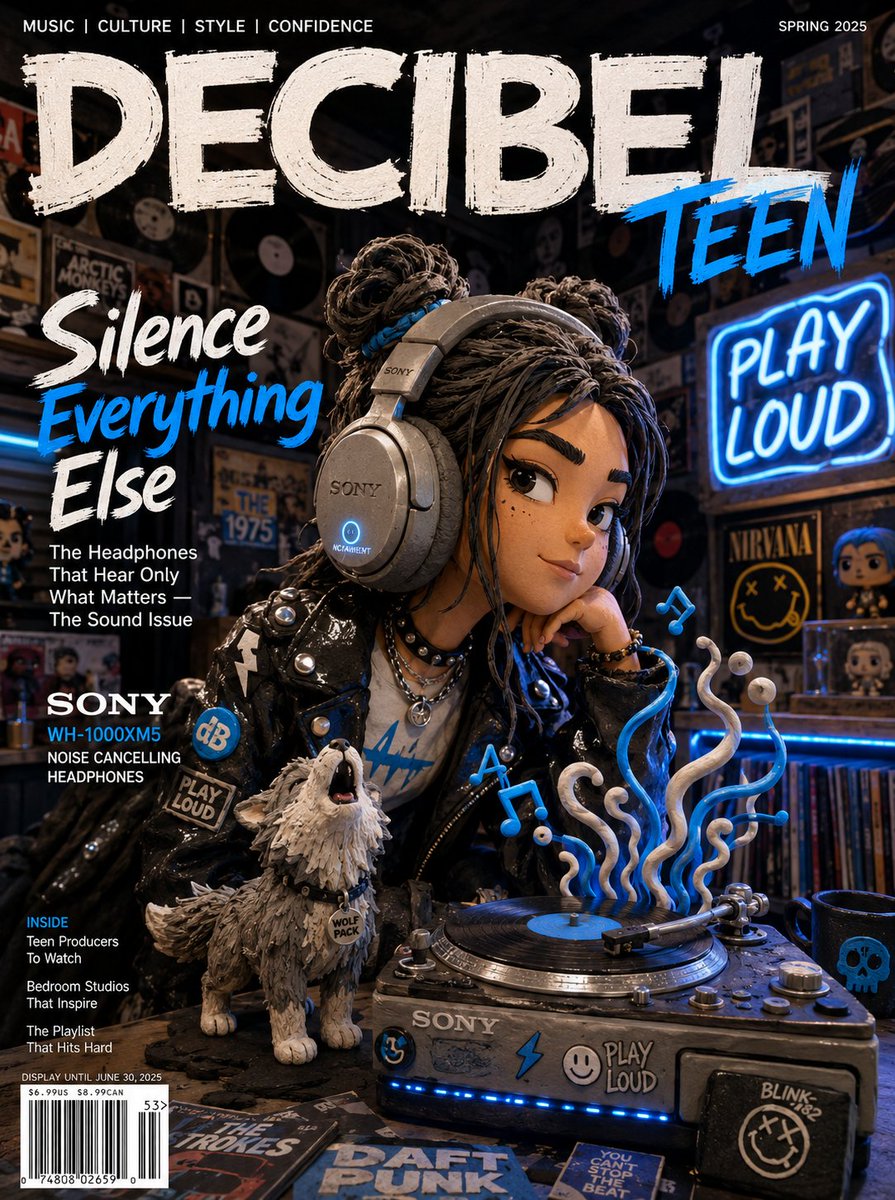
The MS Paint doodle is the loudest member of a wider counter-trend cluster. The second is claymation portraits: redrawing a photo in a Wallace & Gromit stop-motion look, with visible sculpting marks left in. CyberLink sources this one to Reddit, and it lands on GPT Image 2 specifically because the model renders clay texture and the way light wraps around curved sculpted surfaces better than its predecessors. Same inversion as the doodle, softer flavor — handmade-imperfect instead of mouse-drawn-terrible.
The third is pet-to-human: upload a pet photo and ask what your animal would look like as a person. eWeek reports these posts are "massive hits on Reddit and Threads." The generic version works, but scenario variants travel further because they give the model a scene to build, not just a face:
Turn my dog into a marathon runner wearing sports gear and standing at a finish line.All three formats share one root: they refuse the default "make it beautiful" direction that image tools push you toward. If you want more copy-ready formats like these — viral and otherwise — browse the prompt library at https://gpt-img2.com/prompts.
Run the trend in five minutes
Pick the most over-produced photo you own — a wedding shot, a graduation portrait, a golden-hour selfie. The nicer the input, the harder the scribble lands, because the before/after pairing is the actual format; the doodle alone is only half the joke. Post both, side by side.
GPT Image 2 on this site is free to start: you get 20 credits on sign-up, no credit card required, which is plenty to scribble-ify your pets, your friends, and at least one famous painting. Try it at https://gpt-img2.com and find out how badly the best image model can draw.
Try these GPT Image 2 prompts
Try these techniques now
Open the free GPT Image 2 generator and put this into practice — 20 free credits, no credit card.