How to Get the Midjourney Look in GPT Image 2
Midjourney bakes its aesthetic into the model; GPT Image 2 lets you write it. Here's how to translate the Midjourney look into descriptive prompts — and what you gain by switching.
Why Midjourney images look the way they do
Midjourney has a recognizable house style: painterly rendering, deep contrast, dramatic and often theatrical lighting, rich saturated color, and a slightly surreal, larger-than-life quality. That look is not an accident — it is trained into the model. Even at default settings, a short plain prompt comes back looking polished and cinematic, because Midjourney applies a strong opinionated aesthetic on top of whatever you ask for.
You steer that aesthetic with parameters appended to the prompt. The ones that actually shape the look are real and worth understanding before you try to reproduce it elsewhere (exact syntax can vary by Midjourney version, so check the current docs):
- --stylize (alias --s), range 0 to 1000, default 100 — how heavily Midjourney's trained aesthetic is applied. Low values follow your prompt more literally; higher values push toward the dramatic, illustrative, 'Midjourney-ish' look. Note that the default 100 is moderate, not maxed — the strong house look comes mostly from the trained model itself, not from a high stylize value
- Raw Mode (the --raw parameter, written --style raw in some earlier versions) — reduces the opinionated default styling so output tracks your prompt more directly and looks more photographic and less painterly. It dials styling down, not off
- --chaos (alias --c), range 0 to 100 — how varied the four results are from each other; higher chaos yields more unexpected compositions
- --weird (--w), range 0 to 3000 — pushes toward offbeat, unconventional aesthetics
- --ar — aspect ratio, e.g. --ar 16:9 or --ar 2:3
The key insight for migrating: most of the Midjourney 'magic' is a bundle of describable visual traits — painterly brushwork, high contrast, volumetric dramatic light, a moody graded palette, surreal scale. GPT Image 2 has no --stylize dial, but it does follow detailed natural-language descriptions extremely well. So instead of turning a knob, you write the look out in words. Anything Midjourney bakes in, you make explicit.
The core translation: parameters become sentences
Midjourney's default behavior is roughly 'add painterly drama and cinematic polish to everything,' and a higher --stylize pushes that further. To get the same result in GPT Image 2, you state those qualities directly. A useful way to think about it: stylization is not a setting you flip, it is a paragraph you write.
Here is a direct mapping you can keep next to your prompt:
- The opinionated Midjourney look (default or high --stylize) → 'hyper-stylized, painterly digital illustration, dramatic cinematic lighting, rich saturated color grade, epic atmosphere, highly detailed'
- Raw Mode (less stylized, more literal) → 'photorealistic, neutral natural lighting, realistic color, minimal stylization, documentary look'
- Painterly rendering → 'visible brushwork, painterly texture, concept-art rendering, soft edges blending into hard focal detail'
- Dramatic light → 'volumetric lighting, strong chiaroscuro, hard rim light, god rays, deep shadows, single dramatic key light'
- Surreal scale / mood → 'epic sense of scale, otherworldly atmosphere, surreal and dreamlike, larger-than-life composition'
- --ar 16:9 → 'wide 16:9 cinematic composition'; --ar 2:3 → 'vertical 2:3 portrait composition'
The rest of this guide breaks the Midjourney look into four traits and gives a copy-paste prompt for each.
Trait 1 — Painterly, illustrative rendering
Midjourney rarely produces flat, clean digital art by default; it leans painterly, with brushy texture and an artist's hand visible in the result. In GPT Image 2 you ask for that explicitly — the model will otherwise default to a cleaner, more literal render.
A lone explorer standing at the edge of a cliff overlooking a vast alien valley. Render as a hyper-stylized painterly digital illustration: visible brushwork, concept-art texture, soft painterly edges blending into crisp focal detail. Rich, saturated color grade, atmospheric depth, highly detailed foreground, dreamlike scale. Epic fantasy concept-art aesthetic.The phrases doing the work: 'painterly', 'visible brushwork', 'concept-art texture', 'hyper-stylized'. These pull the model away from flat digital cleanliness toward the illustrated Midjourney feel.
If it still looks too clean, add 'traditional illustration feel, not a 3D render, not photographic' as a short exclusion clause. Telling the model what to avoid is as useful as telling it what to make. One nuance worth knowing: Midjourney's painterliness varies by version and model — newer models render with more photographic detail at default settings, while a low --stylize value pulls them back toward literal, less stylized output. When you describe the look in GPT Image 2, you are effectively choosing where on that spectrum to sit, every time, with no guessing about which default the model happens to apply.
Trait 2 — Dramatic, theatrical lighting
Lighting is the single biggest reason a Midjourney image reads as 'epic.' The default tends toward strong directional light, deep contrast, glowing rim lights, and volumetric beams. Name the lighting setup precisely rather than hoping for it:
A medieval knight kneeling in a ruined cathedral, shafts of light breaking through a shattered stained-glass window. Lighting: single dramatic key light from the upper left, strong chiaroscuro, deep crushed shadows, volumetric god rays cutting through dust in the air, warm glowing rim light along the armor. High contrast, moody, cinematic. Painterly concept-art rendering, atmospheric haze.'Chiaroscuro', 'volumetric god rays', 'rim light', and 'high contrast' reproduce Midjourney's signature drama far more reliably than the bare word 'dramatic'.
This is the exact treatment behind cinematic cases in our prompt library — see the Cinematic City Explosion Chase prompt at gpt-img2.com/prompts/cinematic-city-explosion-chase, which leans on volumetric smoke, motion blur, and low-angle wide-lens framing for blockbuster drama, or the Musician Leaving Bodega Night Cinematic Portrait at gpt-img2.com/prompts/musician-leaving-bodega-night-cinematic-portrait for moody mixed-temperature neon lighting.
Trait 3 — Rich color grade and surreal atmosphere
Midjourney palettes are rarely neutral. They are graded — saturated, contrasty, often pushed toward complementary color schemes (teal and orange, magenta and cyan) with a faint surreal glow. Specify the grade as its own layer, the way a colorist would:
A floating city of crystal towers above a sea of clouds at sunset. Color grade: rich saturated complementary palette, deep teal shadows against warm amber and magenta highlights, glowing atmospheric bloom, lifted contrast. Surreal and dreamlike, otherworldly scale, epic and majestic mood. Hyper-stylized painterly illustration, ultra-detailed, cinematic depth.'Complementary palette', 'glowing bloom', 'surreal and dreamlike', and 'otherworldly scale' carry the larger-than-life quality that makes Midjourney output feel like it came from another world.
For darker, more graphic versions of this energy, the Dark Epic Concept Poster (gpt-img2.com/prompts/dark-epic-concept-poster) and the Silhouette Universe Narrative Poster (gpt-img2.com/prompts/silhouette-universe-narrative-poster) show how far the high-contrast, high-drama grade can go. For a portrait variant, the Cyberpunk Sci-Fi Side Profile Portrait (gpt-img2.com/prompts/cyberpunk-sci-fi-side-profile-portrait) uses strong contrast and dramatic lighting in the same family.
Trait 4 — Composition and the 'epic' framing
Midjourney loves a heroic composition: low camera angles, dramatic perspective, a strong focal subject against a vast backdrop. Because GPT Image 2 takes plain-language direction, you describe the shot like a cinematographer instead of relying on the model's instincts:
- Angle: 'low-angle wide shot looking up at the subject' for power and scale, or 'sweeping aerial establishing shot' for grandeur
- Lens feel: 'wide cinematic lens, deep depth of field' for epic scenes, 'shallow depth of field, subject in sharp focus' for portraits
- Subject placement: 'lone subject centered against a vast environment, strong sense of scale, dramatic negative space'
- Aspect ratio: state it in words — 'wide 16:9 cinematic composition' or 'tall 2:3 vertical portrait' — since there is no --ar flag
Composition is where many migrations fall short: people port the lighting and color but forget Midjourney's heroic framing. Adding one explicit camera line closes most of the gap.
A reusable 'Midjourney look' template
Stack the four traits into a fixed block. Paste it above any subject, swap only the SUBJECT line, and your whole series stays in the Midjourney aesthetic family:
[SUBJECT: a weathered lighthouse on a storm-battered cliff]
RENDER: hyper-stylized painterly digital illustration, visible brushwork, concept-art texture, ultra-detailed.
LIGHT: single dramatic key light, strong chiaroscuro, volumetric god rays, glowing rim light, deep shadows, high contrast.
COLOR: rich saturated complementary grade, teal-and-amber, atmospheric bloom, lifted contrast.
MOOD/SCALE: epic, surreal, dreamlike, larger-than-life, majestic atmosphere.
COMPOSITION: low-angle wide cinematic shot, lone subject against a vast environment, strong sense of scale.
FORMAT: wide 16:9 composition.
AVOID: flat clean digital art, neutral flat lighting, 3D render look, watermark, garbled text.
Treat this like Midjourney's opinionated default, written out. Dial it toward Raw Mode by replacing the RENDER and LIGHT lines with 'photorealistic, neutral natural lighting, realistic color, minimal stylization'.
This mirrors how serious Midjourney users already work — saving a parameter string and reusing it. The only change is that the recipe now lives in plain language instead of flags.
Where GPT Image 2 pulls ahead
Reproducing the look is the easy part. The reason to switch is what you get on top of it:
- Stronger text in the image — GPT Image 2 is markedly better at rendering legible titles, labels, and signage (it can still wobble on precise placement). Midjourney handles short quoted text in newer versions but remains less reliable for longer copy, so posters, ads, and thumbnails are far less of a gamble
- Editing and reference control — pass a reference image and say 'keep the subject, change only the lighting to dramatic chiaroscuro', or restage a product while keeping its label intact. Midjourney has an editor too, but GPT Image 2's natural-language, reference-driven edits tend to give finer control over what stays and what changes
- Literal prompt-following — because the model takes detailed natural-language instruction, you describe exactly the scene you want instead of leaning on an opinionated default aesthetic
- Free to try — you can test the templates above without a subscription, so you can see whether the look transfers before committing
Midjourney's default aesthetic is genuinely distinctive, and for pure 'give me something beautiful with one line' moodboarding it is excellent. But once you need a specific scene, reliable text in the frame, or tightly controlled edits, writing the look explicitly in GPT Image 2 trades a little upfront prompting effort for more control over the final image.
The short version
Midjourney's look is painterly rendering, dramatic volumetric light, a rich saturated grade, and heroic composition — bundled into its trained default aesthetic. GPT Image 2 has no --stylize dial or Raw Mode, so you write those traits out in words: name the brushwork, name the lighting setup, name the color grade, name the camera angle. Save the four-trait template, swap the subject line, and you reproduce the aesthetic — then gain stronger text rendering, reference-based editing, and literal prompt-following on top of it.
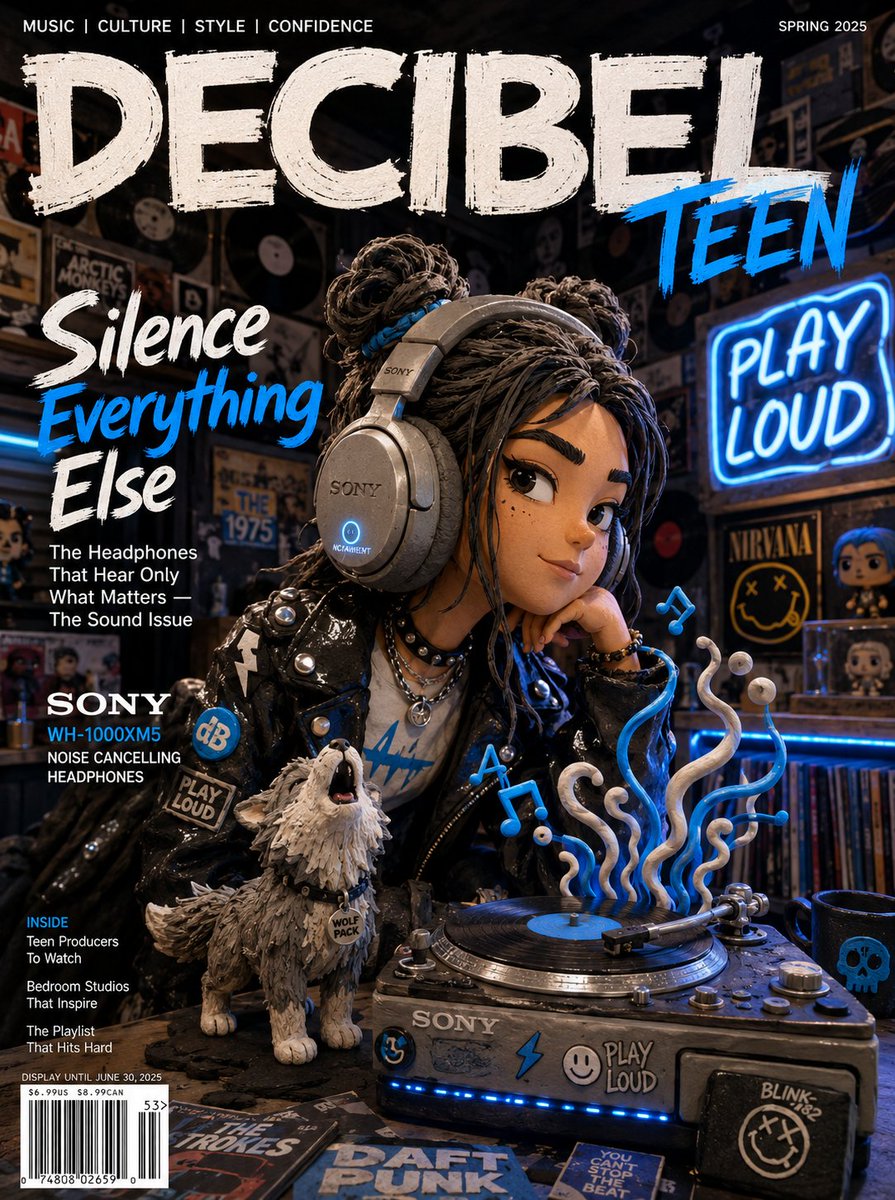
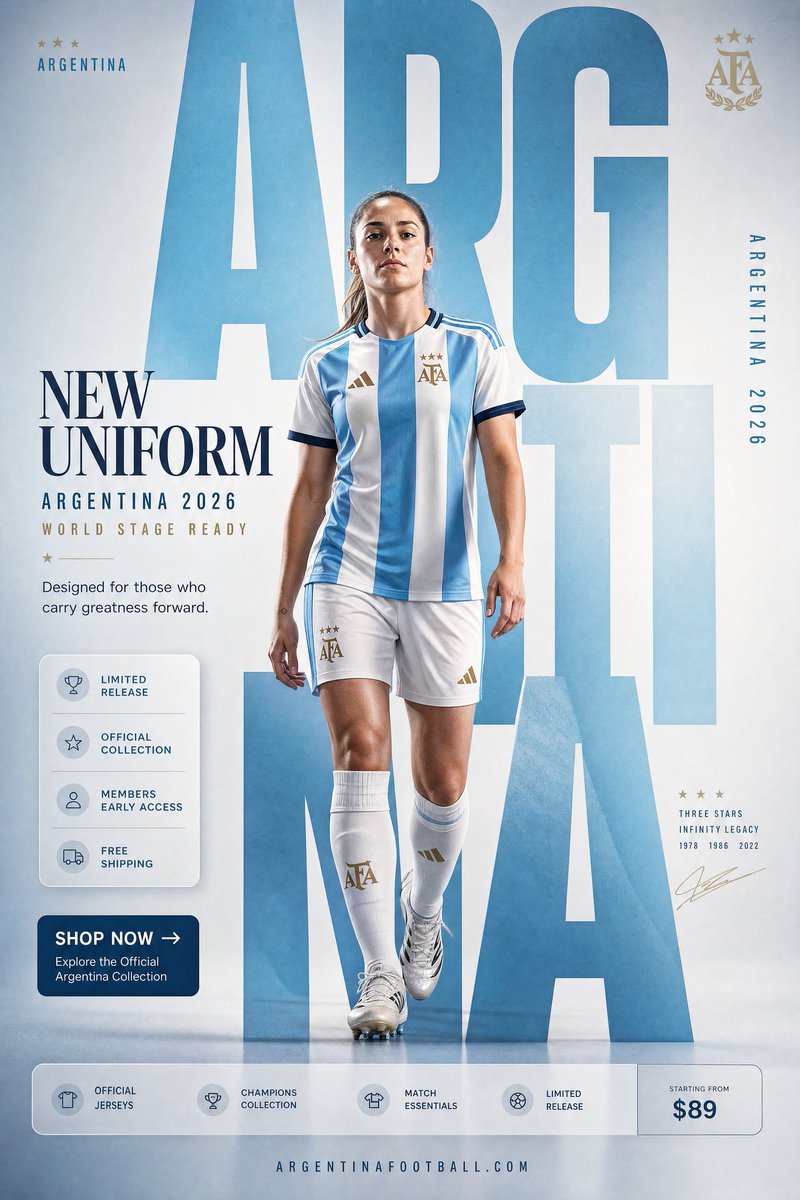
Try these GPT Image 2 prompts
Try these techniques now
Open the free GPT Image 2 generator and put this into practice — 20 free credits, no credit card.